 Jotquest
Plan your day.
Own your time.
A simple productivity planner that helps you plan, focus, and reflect. For yourself, or the whole family.
Everything you need
From chaos to clarity in minutes
Tasks that stick
Create to-dos, set deadlines, and organise by category. See what needs doing at a glance — nothing slips through the cracks.
Plan every hour
Drag tasks onto a visual timeline. Block out work, meals, rest, and play so your day has structure before it starts.
Track your time
One tap to start. The focus timer logs exactly what you spend time on, so you can see where your hours actually go.
Review and reflect
See how your real day compared to your plan. Daily and weekly breakdowns help you spot patterns and improve.
Earn achievements
Hit streaks, complete tasks, and unlock milestones. Small wins compound into big progress over time.
Built for families
Add kids with simple PIN codes — no separate accounts needed. Parents can guide planning while kids build independence.
How it works
Five steps to a better day
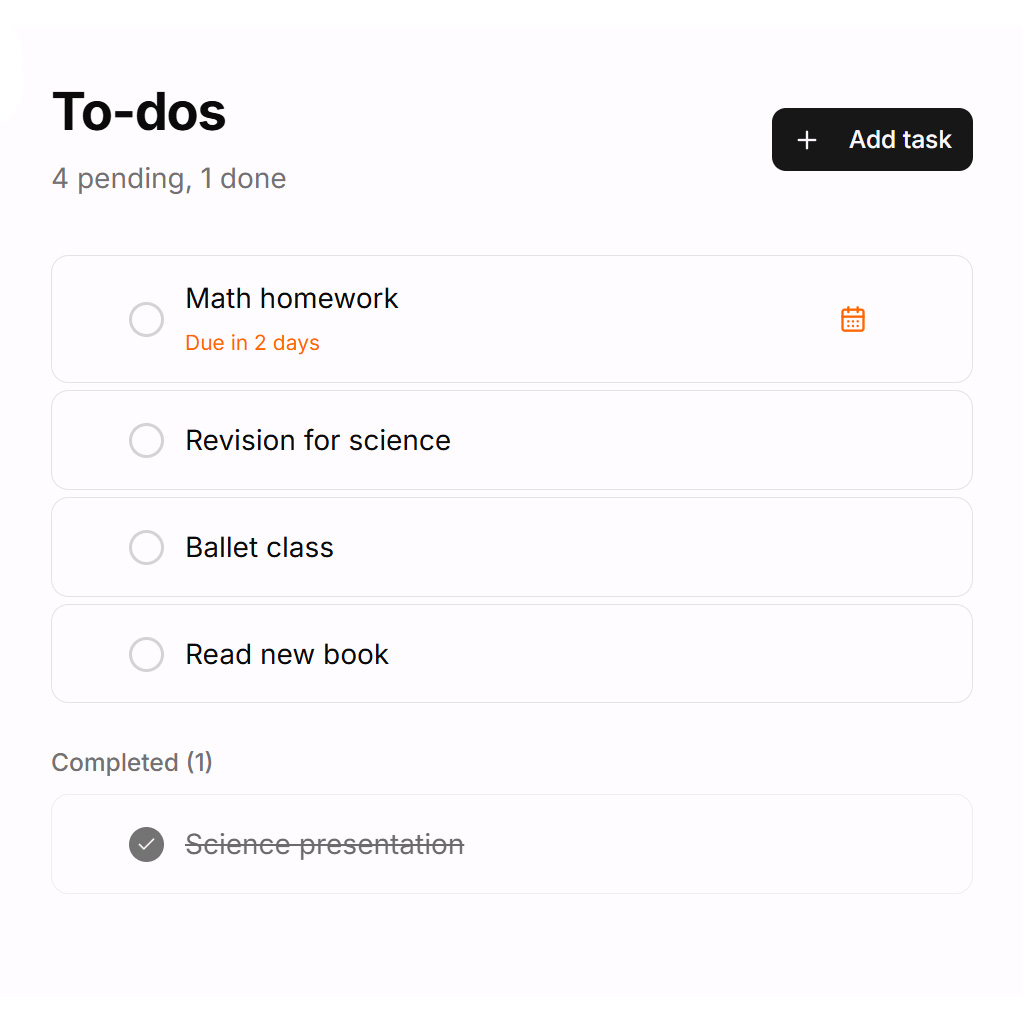
Build your to-do list
Add everything you need to get done. Set deadlines, assign categories, and keep your tasks in one place. Your list stays with you day to day — check things off as you go.
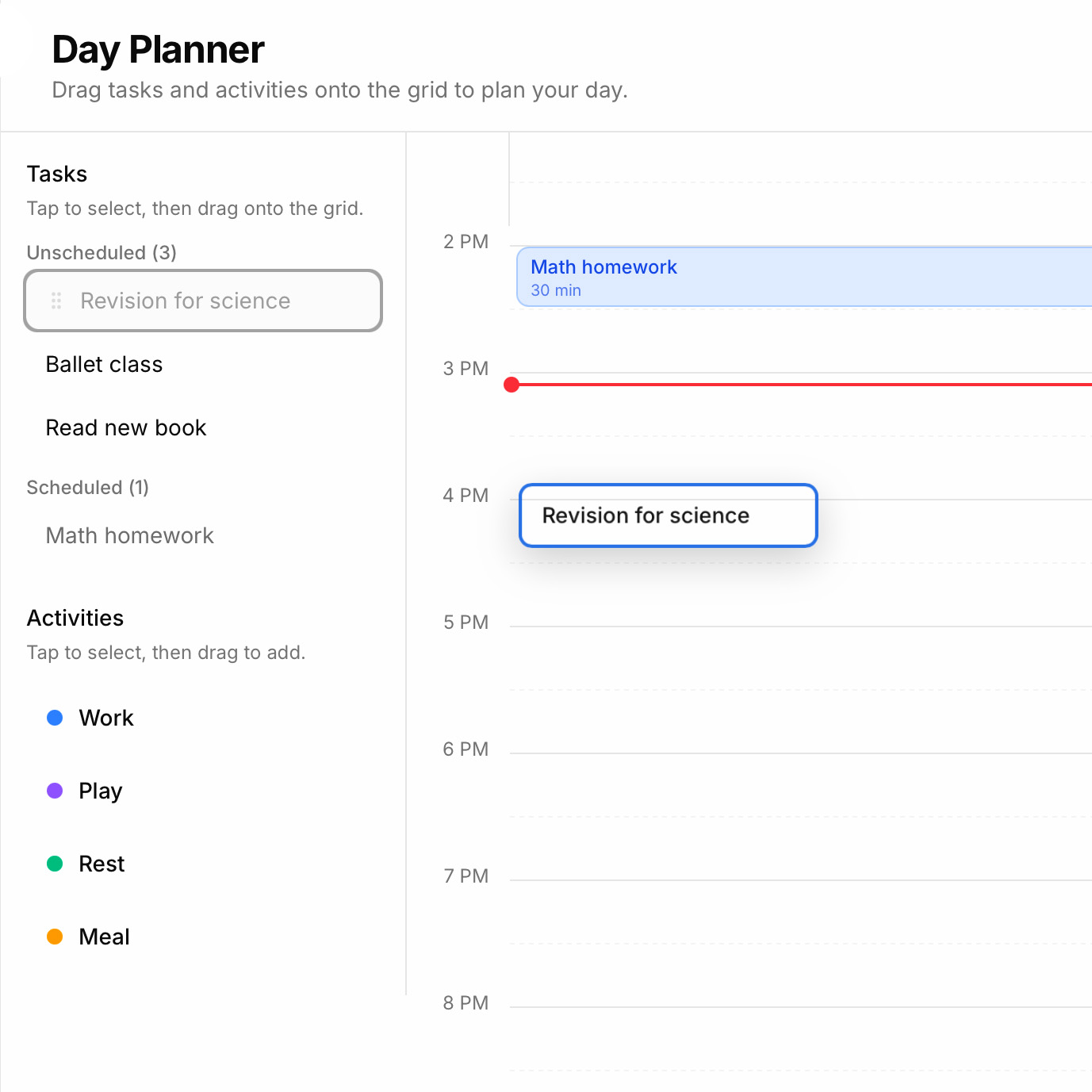
Plan your day
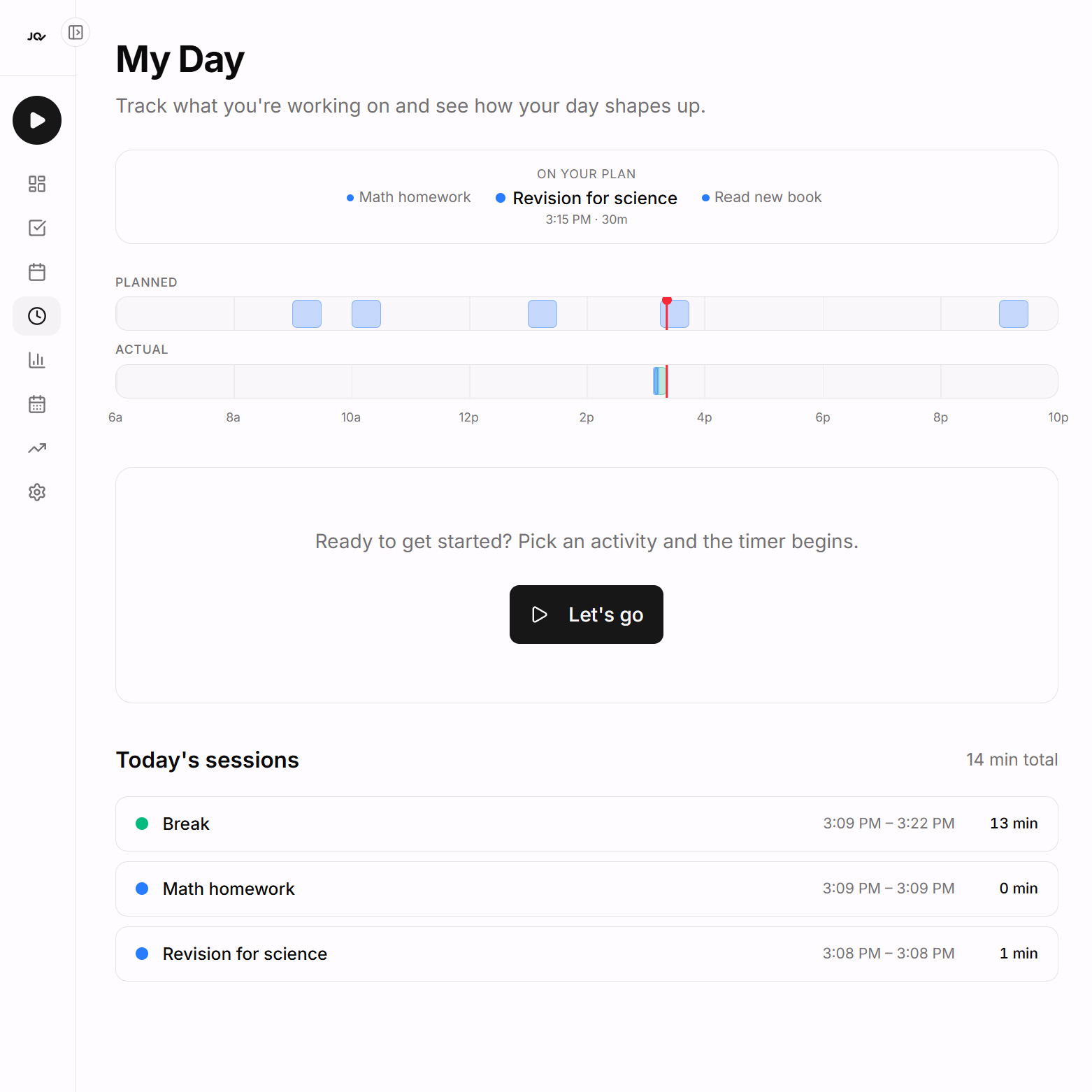
Drag tasks onto a visual timeline to block out your day. Schedule work sessions, meals, breaks, and play. Each block snaps to a 15-minute grid so your plan is realistic, not wishful.
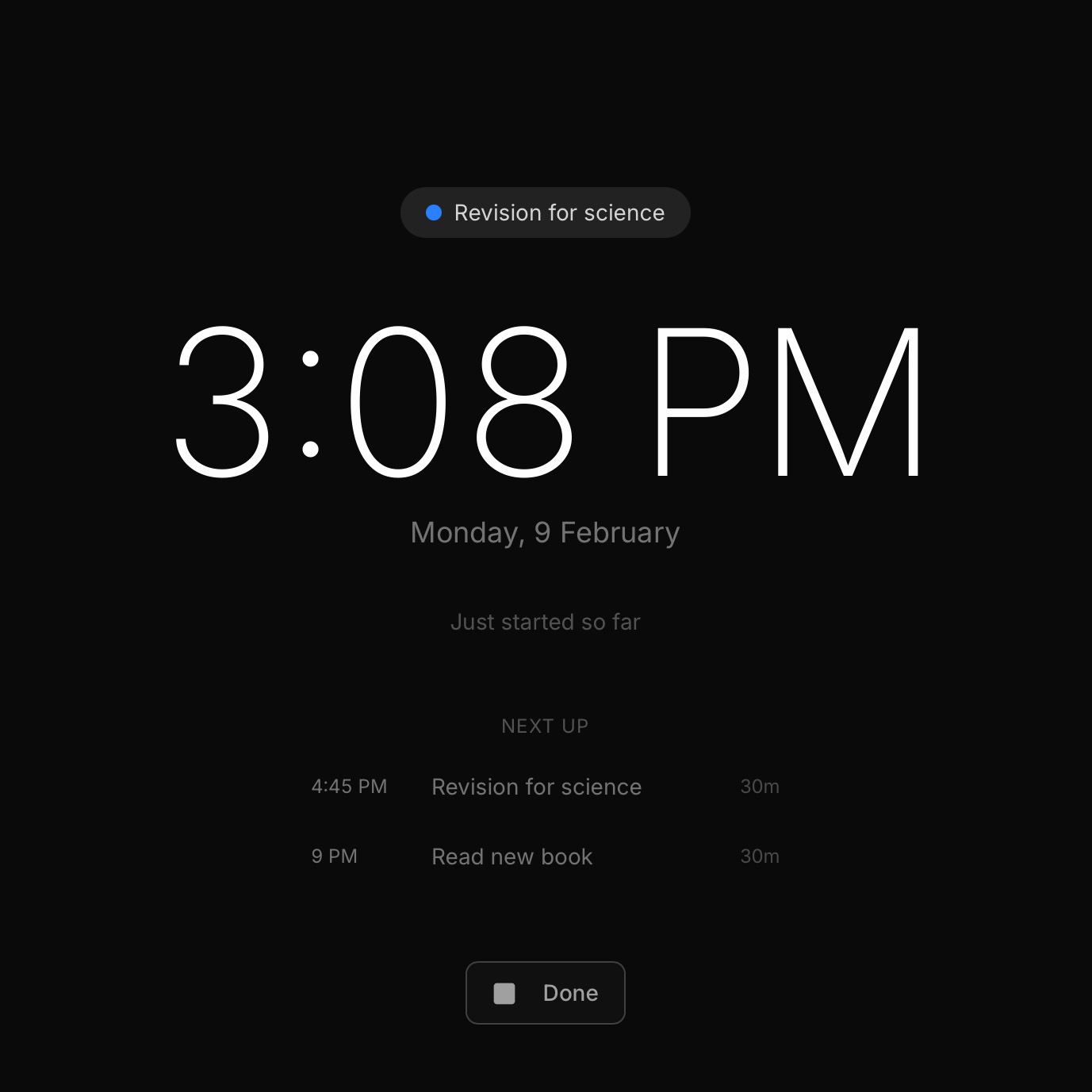
Focus and log your time
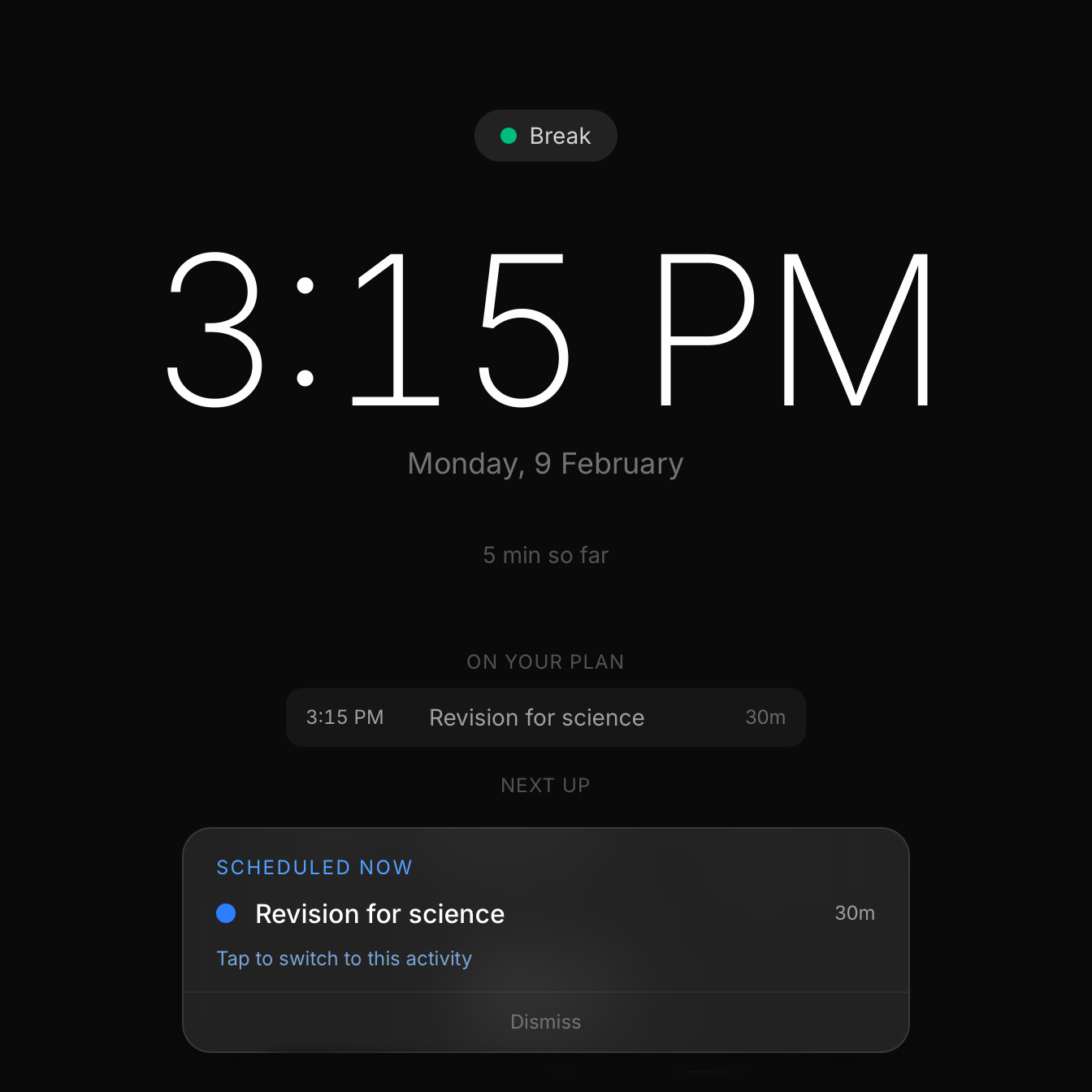
Tap "Let’s go" and pick what you’re working on. A distraction-free focus screen shows the time, what you’re doing, and what’s coming next on your plan. Every minute is logged automatically.
Stay on track
When the next item on your plan comes up, you get a gentle nudge — not an alarm. Tap it to seamlessly switch activities without breaking your flow. If you’re in the zone, just dismiss it.
See how you did
Your plan and your actual day sit side by side. See where you stuck to the schedule and where you went off-script. A daily score, category breakdown, and achievements help you get better over time.
iPad in focus mode — photo coming soon
/screenshots/focus-mode-hero.jpg
Focus Mode
Keep your attention on what really matters.
Tap “Let’s go”, and the app goes into focus mode — a black screen that essentially serves as your clock to keep track of time. It logs your current activity, and how long you’ve been at it. It also shows you the next items in your schedule, subtly and gently giving you context of your day.
And when the next item in your schedule comes up, it’ll let you know — simply switch to the next task at hand, or dismiss it if you’re in the zone.
Design philosophy
A quiet, distraction-free tool
Jotquest is deliberately minimal. Creating to-do lists and planning your day should be a simple exercise, and we’ve designed it to be a pleasure to use. The interface stays out of your way so that planning feels like writing in a good notebook — not wrestling with software. Clean type, calm colours, and generous whitespace make it a tool you actually want to open.
Jotquest on iPad — photo coming soon
/screenshots/ipad-hero.jpg
Give your iPad a purpose
Your iPad is a beautiful device — give it a job. Jotquest turns it into a dedicated planning station and focus timer that sits on your desk, kitchen counter, or bedside table.
In focus mode, the screen becomes a calm, dark clock — logging your time while looking right at home next to your workspace. It’s the perfect use for a device that too often ends up as just a streaming screen.
Touch-first
Drag tasks onto your timeline, tap to start a session. Every interaction is designed for touch.
Install to your home screen
Add Jotquest as a web app — it launches full-screen with no browser chrome. Feels native.
Works everywhere
iPad, iPhone, Android, laptop — your plan follows you. Any device with a browser, any screen size.
For individuals
You don't need a team to benefit from structured days. Jotquest gives you a personal planner, focus timer, and progress tracker — all in one place. Plan your morning, log your work, review your evening.
For families
Jotquest can be used by kids without an email or separate account. Parents create an account with their email, and add their children to the family. Each profile is optionally protected by PIN codes, and individually stores and tracks that profile’s tasks, lists, and results.
For growing kids
Jotquest is a real planning tool with a clean, simple interface — designed for adults, but also perfect for growing kids. Children learn to manage their own time: they plan their day, follow through, and see the results. Let them take charge, and own their day.